Open BSD 6.2 was released on Oct 2017 and i am curious how to upgrade my Open BSD 6.1 laptop. From what i read/know, upgrading OpenBSD must be done from a version to the next version following that version. In my case i want to upgrade from 6.1 to 6.2.
Start with downloading files from your favorite OpenBSD mirror and get these following files.
- bsd
- bsd.mp
- bsd.rd
- All Files end with .tgz
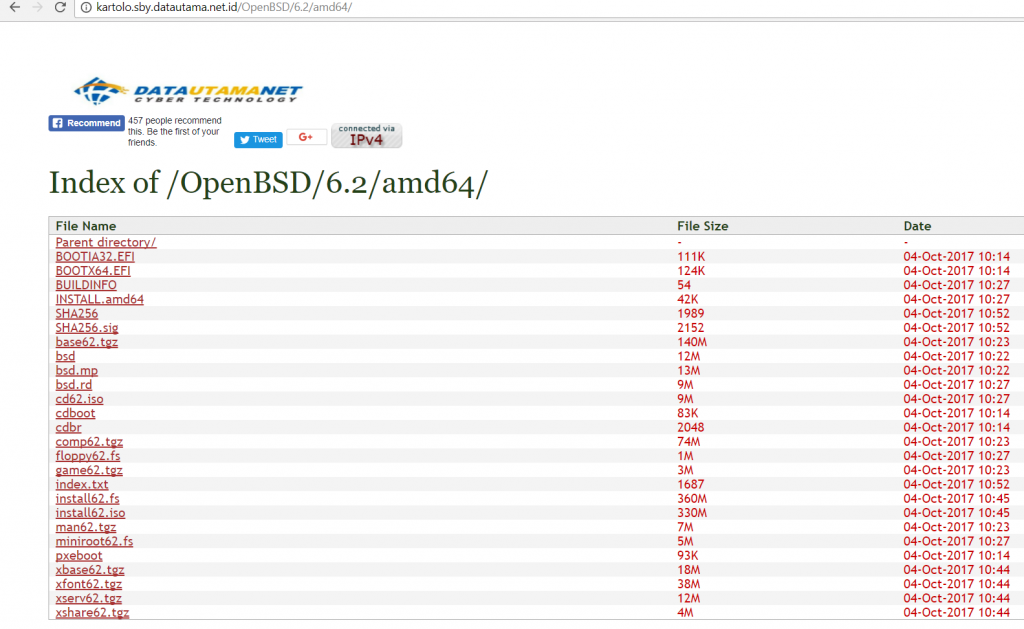
Put bsd.rd to / replacing the old one and create folder /6.2/amd64. Put the other files to /6.2/amd64. Restart your computer and at boot prompt type boot bsd.rd then you will be given choice to upgrade the system. Choose U for upgrade and follow the upgrade process.
After upgrade is done you can restart your computer to check if the upgrade is successfull or not. Next step is to upgrade your installed packages with pkg_add -u command, but dont forget to change your PKG_PATH env first. Will take a long tim if you have installed many packages. Test and enjoy openBSD 6.2 with new kernel relink security feature.
Done …